What are Google Products?
Reviewed 15 November 2026. Originally published in 2022.
Google offers many products, from everyday search and email to business advertising. This guide explains seven familiar examples and links to Google’s own product information. The list is a selection, not an official ranking of the “best” products.
1. Google Search
Google Search helps people find information on the web. Results and features change over time, so check the result’s source and date when accuracy matters.
2. Google Chrome
Chrome is Google’s web browser for opening websites and web apps. Keep it updated and review extension permissions before installing add-ons.
3. Gmail
Gmail is Google’s email service. A standard Google Account has up to 15 GB of storage shared across Gmail, Google Drive and Google Photos; account type and purchased storage can change the amount available.
4. Android
Android is the operating system used by many phones and other devices. Available features and update schedules depend on the device maker and model.
5. YouTube
YouTube is a video platform where people can watch, upload and share videos. Viewing, creator and paid features vary by account and location.
6. Google Drive
Google Drive stores and shares files online. Its storage allowance is shared with Gmail and Google Photos on a standard personal account. Check sharing permissions before sending a file link.
7. Google Ads
Google Ads lets businesses create and manage advertising campaigns. Ads involve spending and performance depends on campaign settings and competition; there is no guaranteed result.
Which Google product should you use?
For general information, start with Search. For email and files, use Gmail and Drive. Chrome is a browser, Android runs compatible devices, and YouTube hosts video. Google Ads serves a different purpose: paid promotion for businesses. Google’s official product directory lists more options and notes that availability can vary by country.
Are these products all free?
The products have different business models and optional paid features. You can browse Search, download Chrome and use a standard Google Account for Gmail and Drive, subject to each service’s terms and limits. Google Ads is for paid campaigns. Check the official product page before relying on a price, free allowance or regional feature; those details can change.
Google Ads and AdSense are different
Businesses use Google Ads to buy and manage advertising. Website owners may use Google AdSense to show eligible ads on their sites. This article’s seven-product list includes Google Ads, not AdSense. Neither product guarantees revenue or traffic, and publishers and advertisers should check current policies before setting one up.
How do you keep your files and account organized?
Gmail and Drive draw from the same Google Account storage allowance, alongside Google Photos. Delete or archive files only after checking whether you still need them. In Drive, inspect who can open a shared link before posting it publicly. For any account, review recovery options and use the security controls offered in your Google Account.
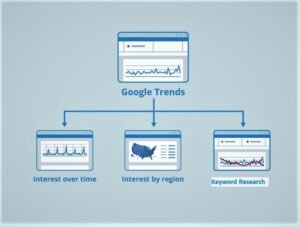
If you want to compare search interest in a topic rather than perform a normal web search, see our Google Trends India guide. Google Trends is a separate product, so it is outside this seven-item list.